Get the data
You will download one public file and attach it in your AI chat. Use Route A. Use Route B when you want tables about Southeast Asia.
A vintage is one published edition of a dataset. SDMX is a shared format for official statistics. PCPIPCH is the yearly percent change in consumer prices.
Route A: IMF World Economic Outlook
Ask AI for the IMF query
✅ Free pending testPaste this prompt into your AI chat.
I want annual inflation for Indonesia and Malaysia from 2019 to 2025.
Use the IMF World Economic Outlook, April 2026 vintage.
PCPIPCH is inflation, as an annual percentage change.
NGDPD is GDP in billions of US dollars.
Choose PCPIPCH.
Write the IMF SDMX data URL from this address: https://api.imf.org/external/sdmx/3.0/data/dataflow/IMF.RES/WEO_2026_APR_VINTAGE/latest/*
The request needs this header: Accept: application/vnd.sdmx.data+csv;version=2.0.0.
Structure definitions are at https://api.imf.org/external/sdmx/2.1/dataflow/all.
Give the dimension order only when those definitions confirm it.
If they do not confirm it, say so.
Explain how I can download this same selection as a CSV from https://data.imf.org/ without writing code.
Tell me how to check the row count.
Tell me which years are estimates or forecasts.The reply names PCPIPCH, shows a data web address, and explains how to download a CSV from the IMF website.
Use the portal steps below for the download. The browser address bar cannot download that data address.
Find World Economic Outlook in the portal
✅ Free pending testOn the IMF data portal, open the World Economic Outlook result that says April 2026.
I am on data.imf.org looking for World Economic Outlook, April 2026. The labels I see are [paste the labels you see]. Tell me which of these labels to open. Use only the labels I pasted.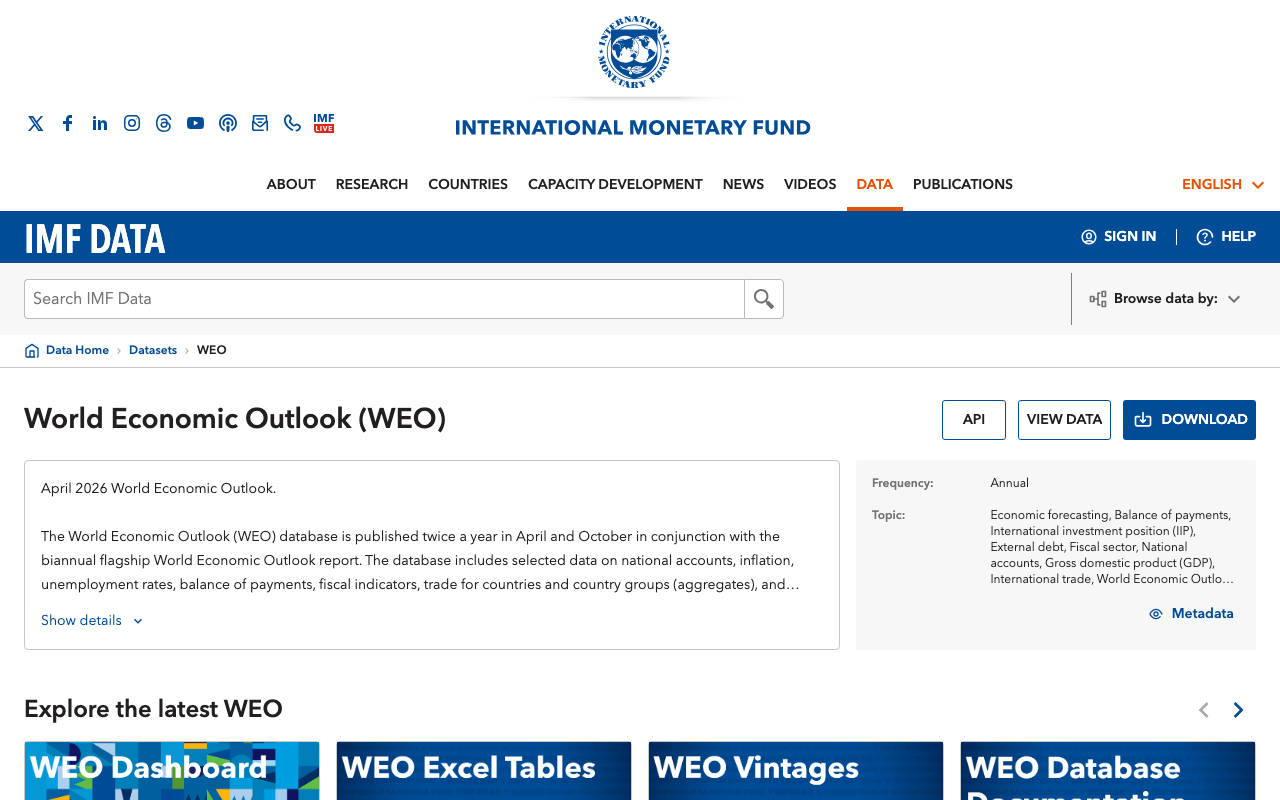
The heading World Economic Outlook (WEO), the text April 2026, and a VIEW DATA button. Screenshot: IMF Data.
Choose your data in the portal
✅ Free pending testOpen VIEW DATA and keep only inflation (PCPIPCH) for Indonesia and Malaysia, 2019 to 2025.
I am choosing an IMF World Economic Outlook inflation series in the Data Explorer. These are the indicator labels I see: [paste the labels you see]. Tell me which label matches PCPIPCH, the annual percent change in consumer prices. Explain the units in one sentence.You see the Data Explorer table with rows for Indonesia and Malaysia and an inflation indicator.
Skip the card named April 2026 WEO Entire Dataset in Excel. That card is the full workbook.
Download the CSV
✅ Free pending testUse Download on the Data Explorer page to save your selection as a CSV.
The IMF Data Explorer offers these download choices: [paste the choices you see]. Tell me which choice saves a CSV of my selected countries, indicator, and years. Use only the choices I pasted.You see a new file in your Downloads folder whose name ends in .csv.
Advanced: use the IMF API with code
Skip this section if you already saved your CSV from the portal.
An API is a way for a program to request data.
The browser address bar cannot ask for the CSV format this service requires. Use the command below.
Structures: IMF dataflows.
Data: https://api.imf.org/external/sdmx/3.0/data/dataflow/IMF.RES/WEO_2026_APR_VINTAGE/latest/*.
This command downloads the full April 2026 release. It may be large. The star means every series.
curl --fail --location --max-time 120 -H 'Accept: application/vnd.sdmx.data+csv;version=2.0.0' 'https://api.imf.org/external/sdmx/3.0/data/dataflow/IMF.RES/WEO_2026_APR_VINTAGE/latest/*' -o weo_2026_apr.csvOpen the CSV and check that it has data rows before you filter it.
Route B: ASEANstats Yearbook
Find the ASEAN Statistical Yearbook
✅ Free pending testOpen the ASEAN Statistical Yearbook 2023 page.
I am on the ASEANstats publication pages. I want the ASEAN Statistical Yearbook with Excel tables for [your topic]. Here are the titles I see: [paste the titles you see]. Tell me which publication to open. Use only the titles I pasted.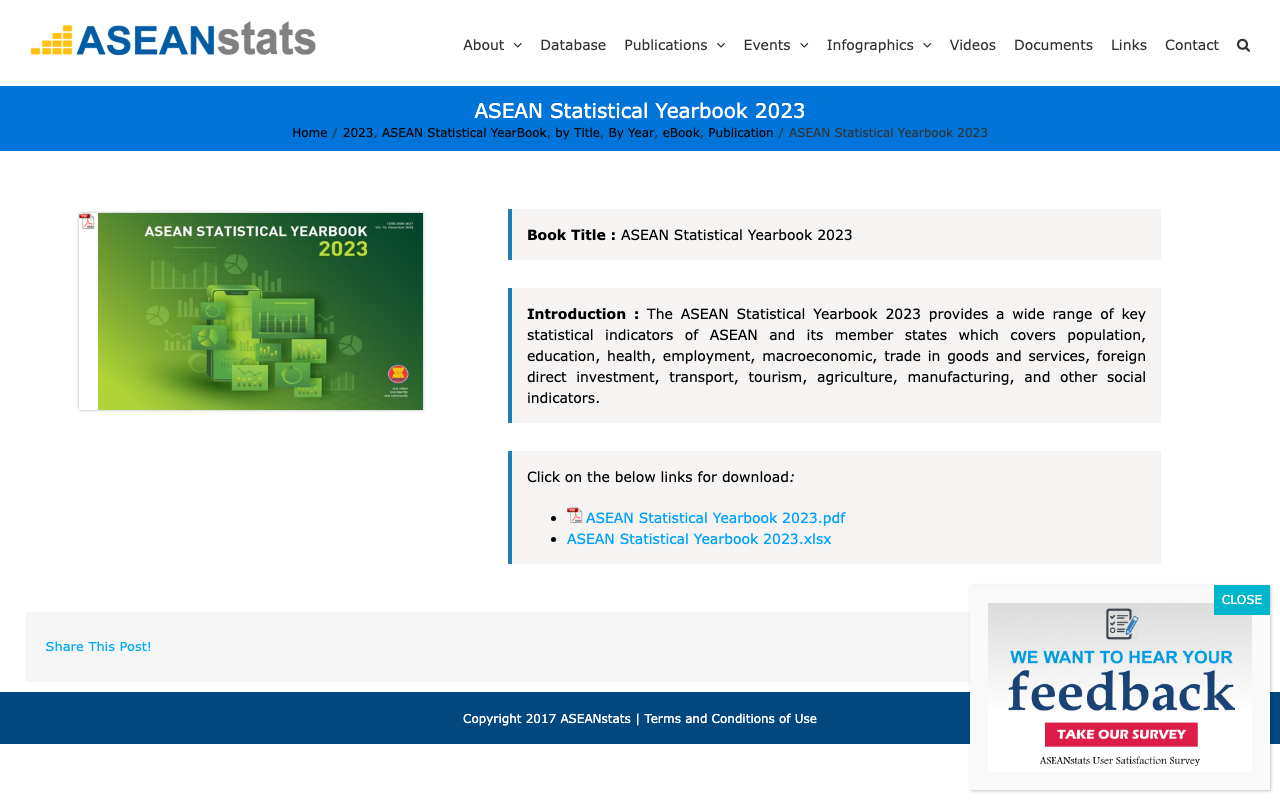
The ASEAN Statistical Yearbook 2023 page with its download links. Screenshot: ASEANstats.
Download the Yearbook Excel tables
✅ Free pending testDownload the file named ASEAN-Statistical-Yearbook-2023.xlsx.
The Yearbook page lists these downloads: [paste the titles and file types you see]. Tell me which file is the Excel table for [your topic]. If none is an Excel file, say so. Do not invent a download link.You see the file ASEAN-Statistical-Yearbook-2023.xlsx in your Downloads folder.
The site blocks automated downloads. Use the file from your Downloads folder. Write down the publication, the edition, the table, the URL, and the date you downloaded it. Keep the Yearbook file private. If the file is Excel, open it and save one sheet as a CSV before you continue.
Check the file before analysing it
Check your CSV with AI
⚠️ Free, limit: daily upload cap pending testSend this prompt with your CSV attached, using the plus or attachment button.
Claude free: ⚠️ Free, limit: daily upload cap pending test ChatGPT free uses the same limit. Both let you attach a file. If the upload is refused, keep the file and return when your account allows uploads again.
Describe this CSV before you do any analysis.
Report the number of data rows, not counting the header.
Explain each column and its units.
Show the first five rows.
Check for missing values, missing country-year pairs, duplicate rows, and unexpected dates.
Where the file says so, separate actual observations from estimates or forecasts.
Do not fill gaps or invent values.
If there are zero data rows, stop and tell me.The reply states the number of data rows, explains each column and its units, shows five rows, and lists any gaps or duplicate rows.
Open the file and check three of those numbers against the reply.
Upload help: Claude and ChatGPT.
Next: store the data.